
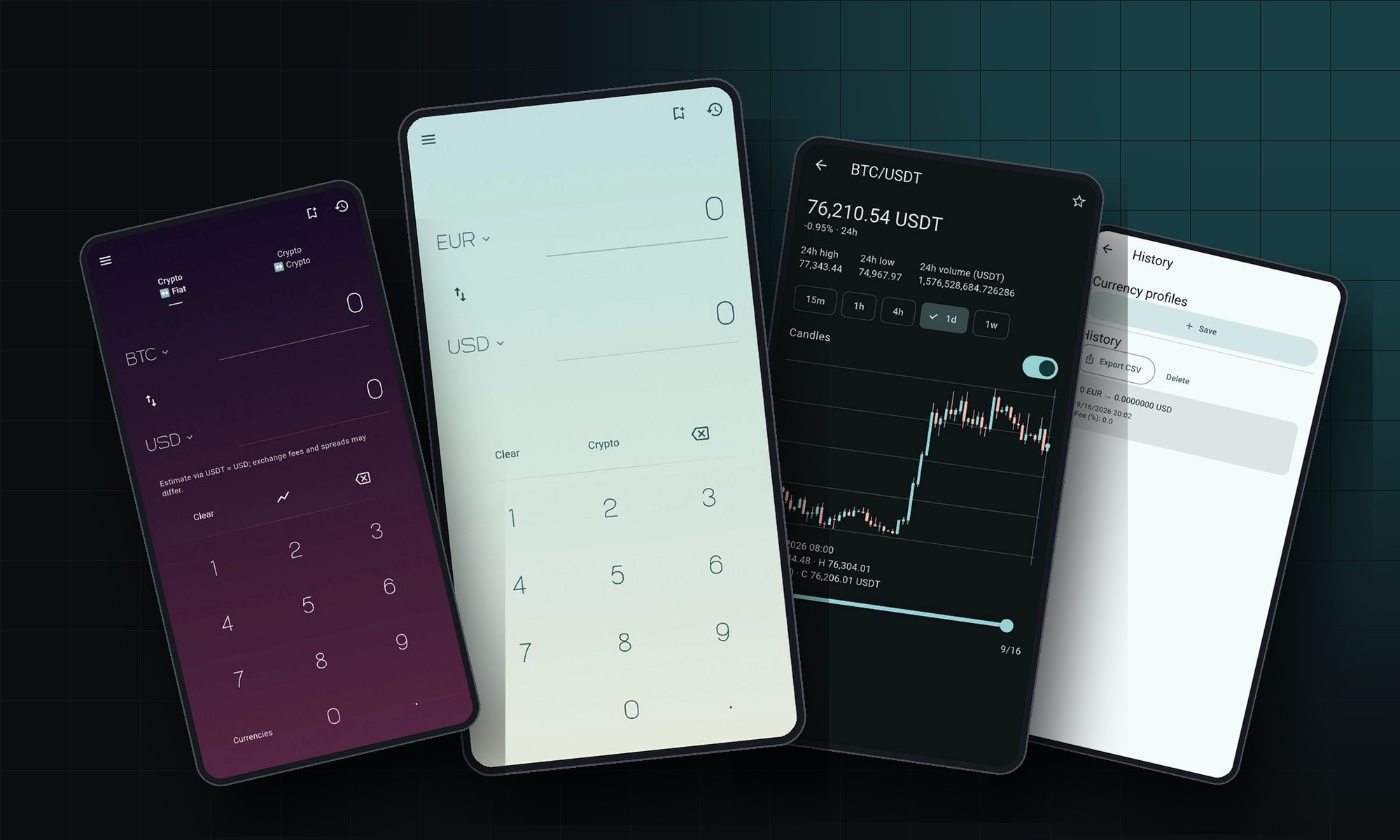
Fluxly started as a very small idea: a converter that opens instantly, shows the number you need and gets out of the way. That idea has not changed. What has changed is everything around it. The new Fluxly is a full redesign — a calmer interface, a proper market view, fee-aware estimates and a memory for the conversions that matter to you — and it is heading to Google Play.
Built for the moment you actually need a converter
Most currency apps are designed for browsing. Fluxly is designed for the thirty seconds at a checkout, an exchange counter or a pricing call when you need one number and need it now. Your preferred currencies stay pinned, the numpad is made for a thumb, and the result updates as you type. Swap direction with one tap; clear with one tap. Nothing to scroll, nothing to configure first.
Three modes cover the cases that used to need three apps: fiat to fiat, crypto to fiat and crypto to crypto. Crypto amounts are estimated through USDT, and the app says so on screen — an estimate is only useful if you know what it is based on.
The market, without the noise
Every coin you follow has a detail screen that reads like a trading terminal and behaves like a converter: current price and 24-hour change, high, low and volume, then a chart you can actually use. Switch between candlesticks and a line, choose a timeframe from fifteen minutes to a week, and drag along the range to read the exact open, high, low and close of any period. Favourites keep the coins you care about at the top. That is the whole market view — no news feed, no signals, no upsell.
Numbers that match your bank statement
A converter that ignores fees is a calculator that is always slightly wrong. In the new Fluxly you set your exchange fee once, as a percentage, and every result accounts for it. The app is explicit that this is an estimate; it is also the first number you can compare with what actually lands on your card.
It remembers, so you do not have to
Every conversion goes into a history with its date, rate and fee, and the history exports to CSV — handy for expense reports, travel budgets or simply checking what a purchase cost in your own currency last month. Currency profiles save the pairs you return to, so a trip or a client project is one tap away instead of a set of dropdowns. A home-screen widget shows your last saved conversion at a glance.
Yours, on your device
Fluxly does not ask you to create an account and does not send your history anywhere. Preferences, favourites, profiles and conversions live on the phone. It follows your system theme or the one you choose, gives gentle haptic feedback, and speaks nine languages: English, Ukrainian, Russian, Romanian, Polish, Spanish, French, Arabic and Chinese.
What is next
The Google Play listing is being prepared now; we will link it from the Fluxly product page the moment it is live. If you would like an early build, or you want to see the same approach applied to a product of your own, get in touch.